

Enter Model Details
Navigate to Add Model to register a new model.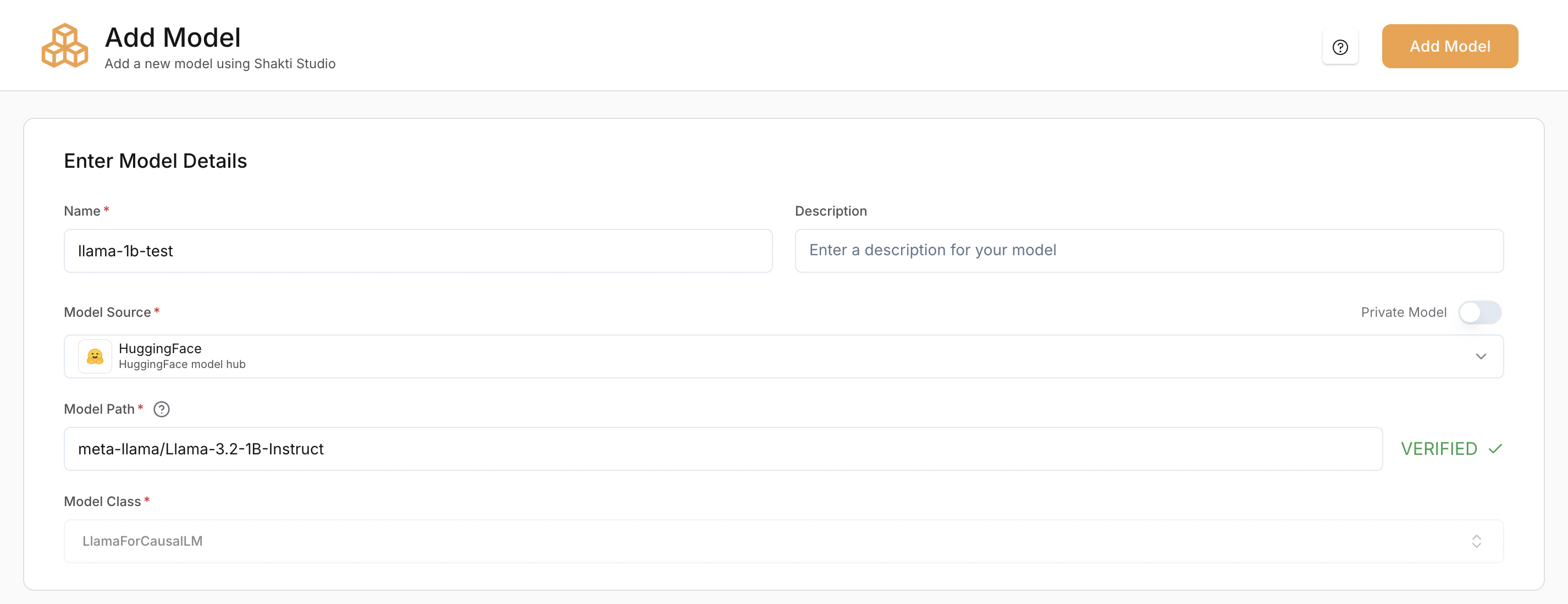
Name (Required)
A unique identifier for the model within the platform.Description (Optional)
Short note about the model’s purpose.Model Source (Required)
Specifies where the model artifacts are loaded from.- Hugging Face (HF) – Load directly from the Hugging Face Hub
- Shakti Studio S3 – Load from an S3 bucket
- GCP GCS – Load from a Google Cloud Storage bucket
- Public URL – Load from a publicly accessible URL
If you use a private model from Hugging Face, add your Hugging Face access token as a secret on the platform first, then select the appropriate linked secret when configuring the model.
Model Path (Required)
The exact path to the model.- Hugging Face:
meta-llama/Llama-3.1-8B-Instruct - AWS S3:
s3://my-bucket/model/ - GCP GCS:
gs://my-bucket/model/ - Public URL:
https://<host>/model
Model Class (Required)
Defines the pipeline or architecture class used to load the model.LlamaForCausalLM→ LLMsWhisperForConditionalGeneration→ Speech modelsFluxPipeline→ Diffusion modelsCustomPipeline→ Custom or non-standard pipelines
Optimising Infrastructure
This section determines on which GPU the model will be deployed.
- L40S – Recommended for most production speech workloads
- H100 – Best for high-throughput or low-latency deployments
Model-Specific Configuration
After Model Details and Optimising Infrastructure, the remaining configuration depends on the type of model you are adding. Different model types require additional or different settings:- LLMs (Chat, Completion, Embedding)
- Diffusion Models
- Speech (Whisper) Models
LLMs (Chat, Completion, Embedding)
By default, the platform automatically selects the most suitable compilation settings for LLMs based on the model architecture.
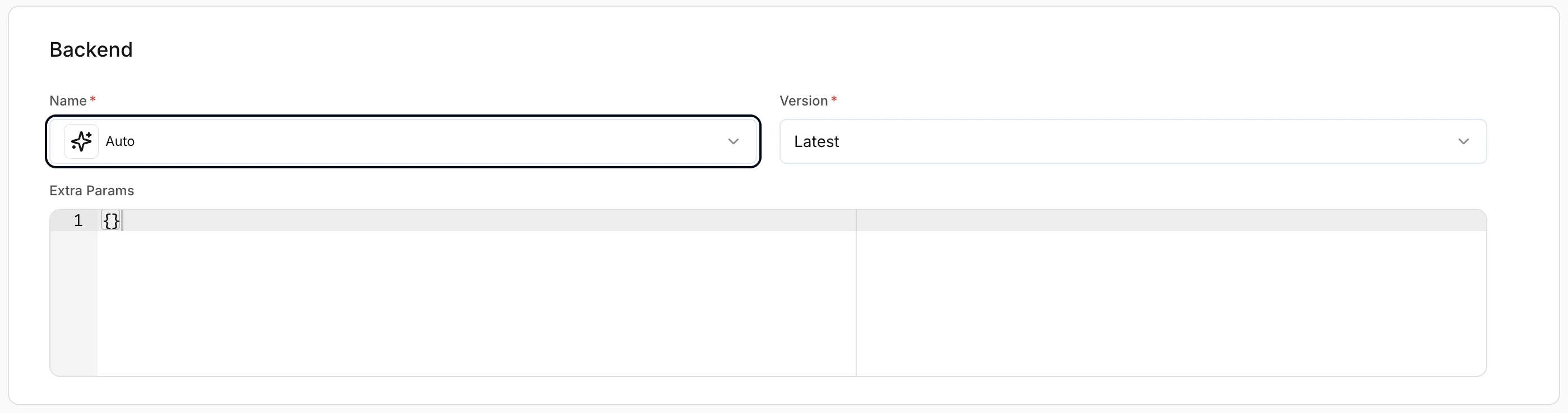
Backend Selection
Controls the inference backend used to serve the model. LLMs support multiple optimized backends.- Auto – Platform selects the optimal backend automatically
- Latest – Recommended unless a specific version is required
Quantization
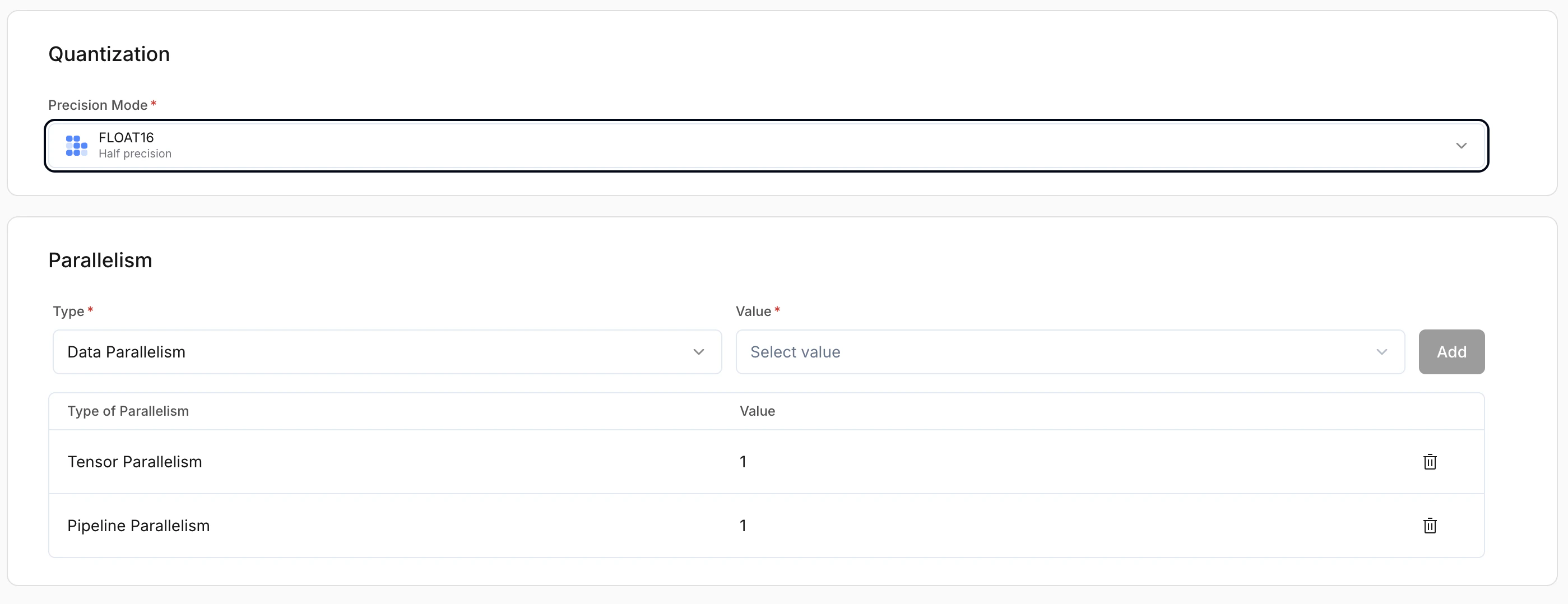
Precision Mode (Required) controls how model weights are stored and computed. Choose the mode that balances accuracy, memory use, and throughput for your workload. Available precision modes:- FLOAT16 – Half precision
- FP8 – 8-bit floating point
- INT8 – 8-bit integer
- INT4 – 4-bit integer
- BFLOAT16 – Brain floating point 16-bit
- FLOAT32 – Full precision
- AWQ – Activation-aware Weight Quantization
- MXFP4 – Mixed-precision 4-bit floating point
Parallelism
LLMs support:- Data Parallelism – Replicates the full model across multiple GPUs; each GPU handles separate requests. Best for throughput and concurrent traffic.
- Pipeline Parallelism – Splits model layers across GPUs. Use when the model is too large to fit on a single GPU.
- Expert Parallelism – For Mixture-of-Experts (MoE) models; distributes experts across GPUs. Improves scalability and efficiency for MoE architectures.
Pipeline Task
Defines the task the model is used for.- Chat – Conversational models
- Completion – Text generation
- Embedding – Vector generation models
Speculative Decoding (Optional)
Improves latency by generating tokens using a draft strategy.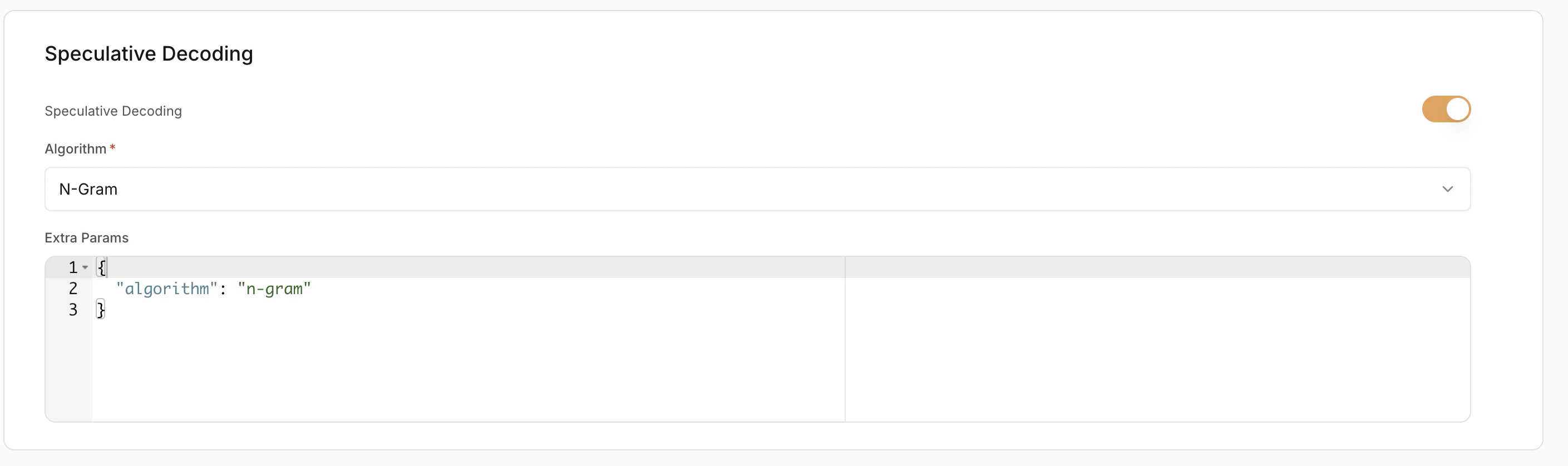
Extra Params
Advanced backend-specific configuration in JSON format. Leave empty unless you have custom tuning needs.LoRA Configuration (Optional)
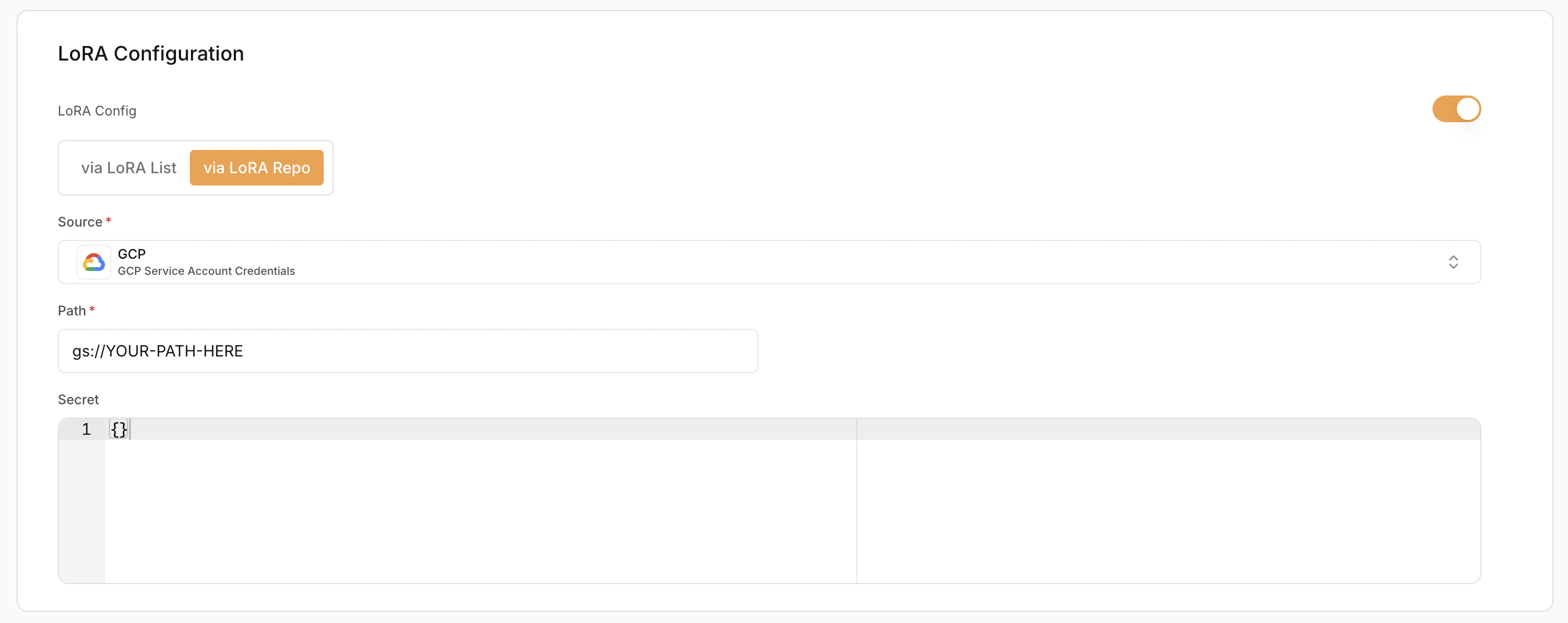
LoRA (Low-Rank Adaptation) allows loading fine-tuned adapters on top of base models.- Enable LoRA – Toggle to enable or disable LoRA.
- LoRA Config Method:
- Via LoRA List – Use pre-registered LoRA adapters
- Via LoRA Repo – Load directly from a repository
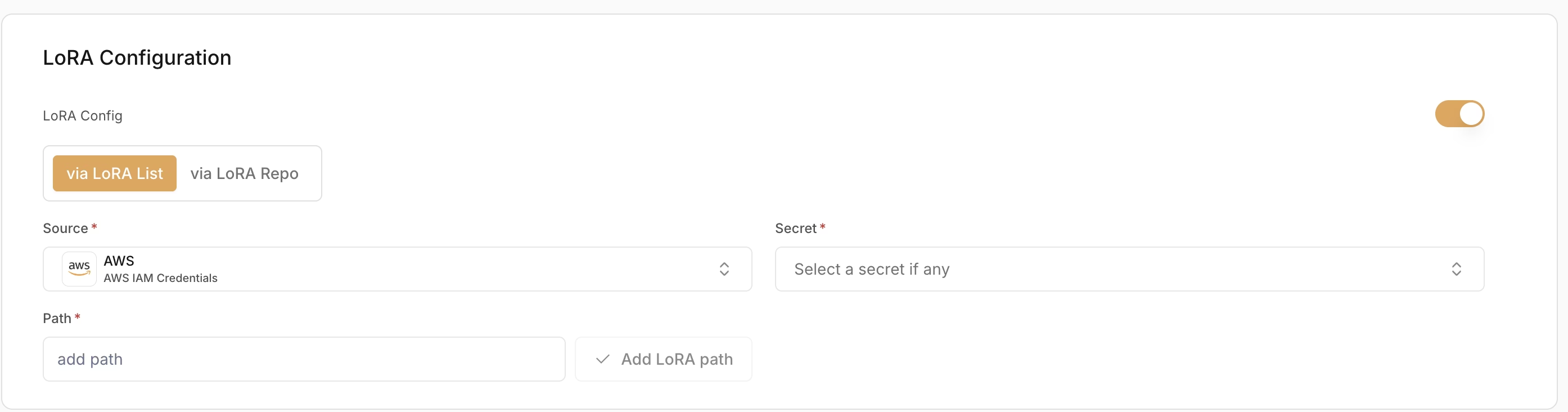
- Source (Required) – Where the LoRA weights are stored (e.g. AWS (IAM Credentials))
- Secret (Required) – Credentials used to access the LoRA source
- Path (Required) – Path to the LoRA adapter location
Diffusion Models
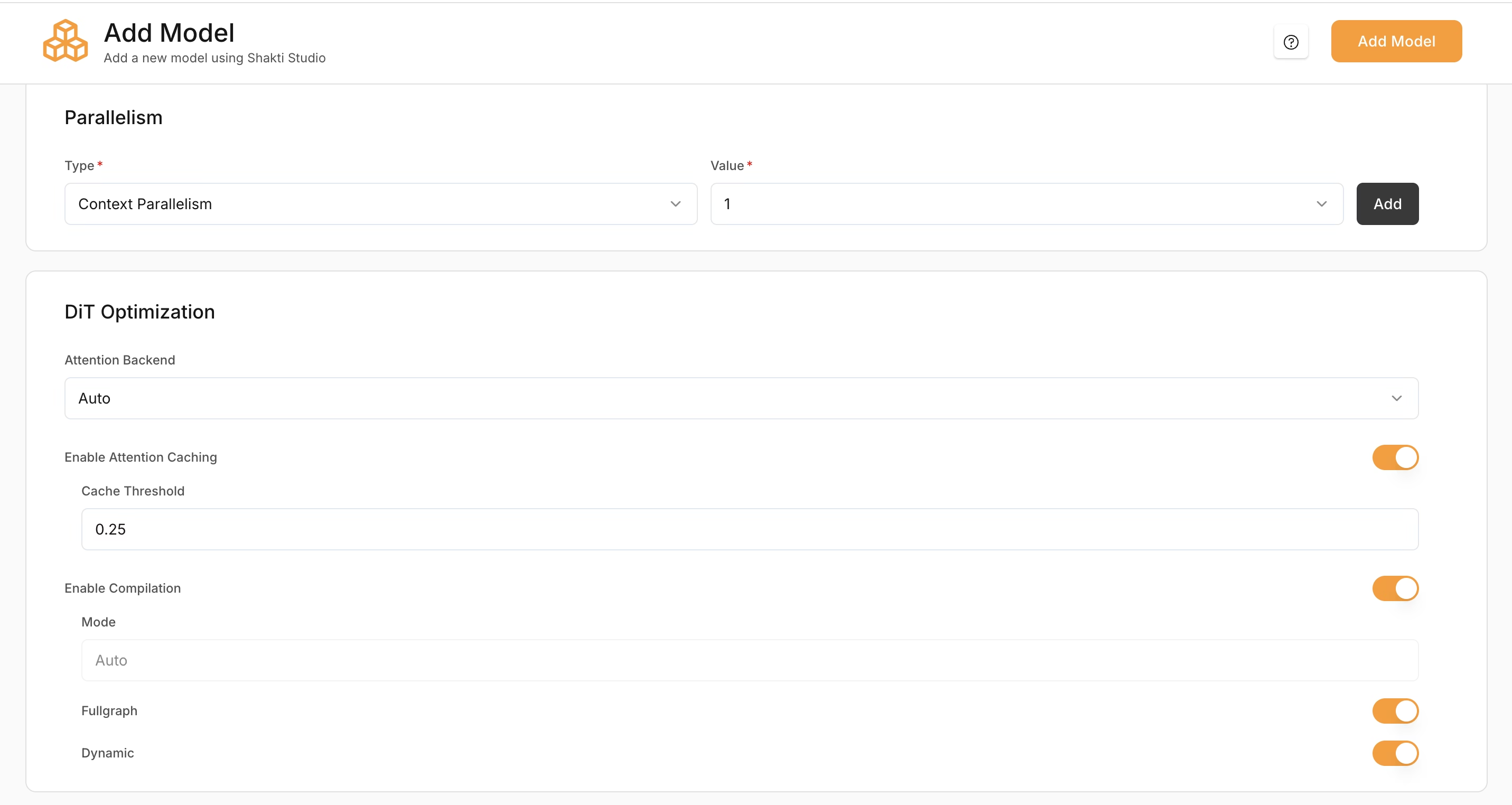
Parallelism
Diffusion models support:- Context Parallelism – Splits the input context or latent representation across multiple GPUs. Useful for high-resolution image generation and memory-intensive models.
- Fully Shared Data Parallelism – Replicates the model across GPUs; each GPU handles separate requests. Useful for high-throughput production and concurrent image generation.
DiT Optimization
(Applies only to diffusion models.) Attention Backend – Selects the attention implementation during inference.- Flash – Optimized attention for better performance
- Torch – Standard PyTorch attention
- Auto – Automatically selects the best option
Additional Optimisation Settings
- Enable Attention Caching – Caches attention states to reduce repeated computation and improve speed.
- Cache Threshold – Controls when caching is applied. Default:
0.25. Higher values improve inference speed but may reduce output quality. - Enable Compilation – Compiles the model graph for faster inference.
- Fullgraph – Compiles the entire model for maximum performance
- Dynamic – Supports variable input shapes
ASR (Speech) Models
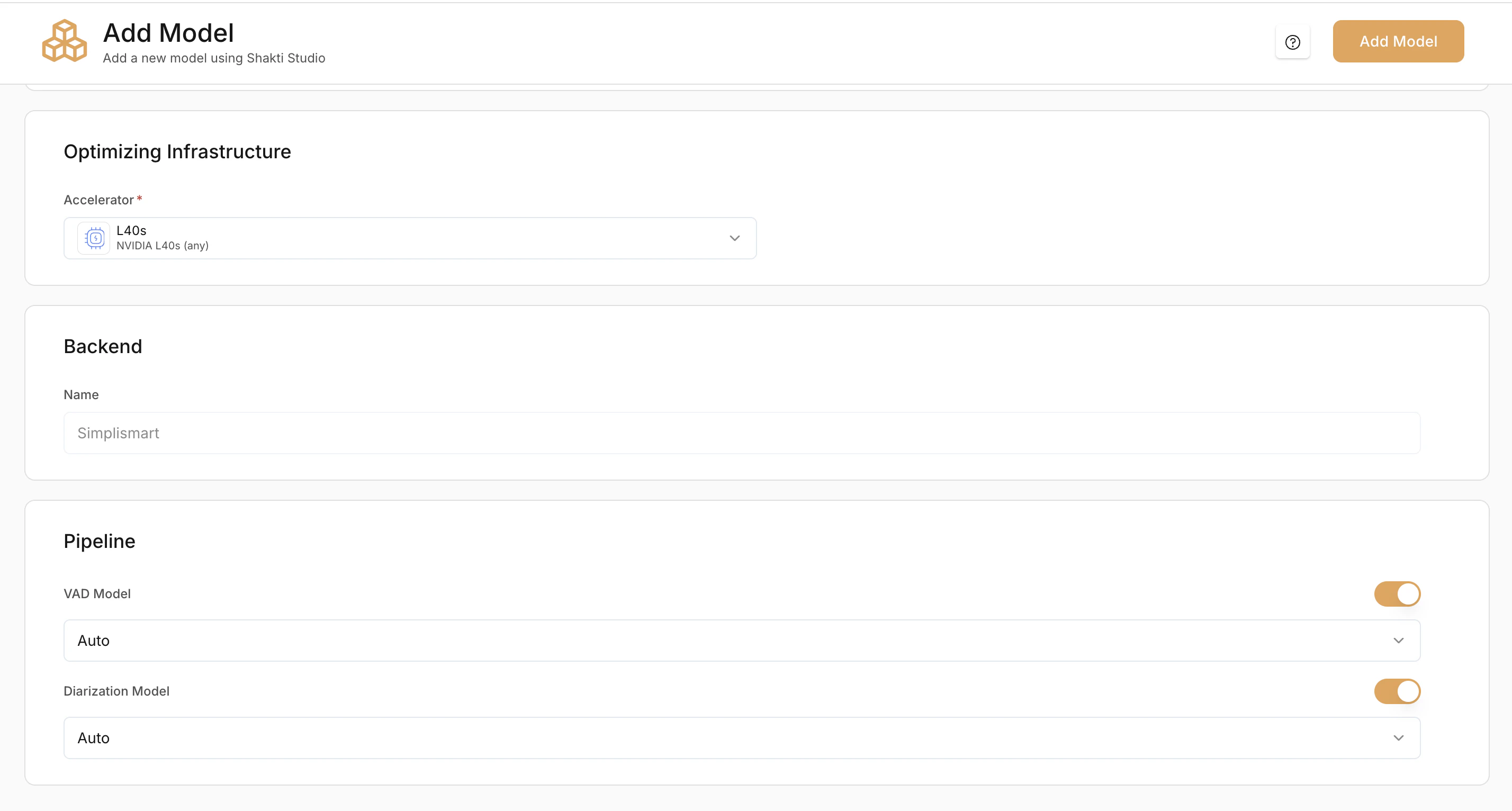
Optional Pipeline Add-ons
Voice Activity Detection (VAD) Model
Detects speech segments and removes silence before transcription. VAD options:- Auto – Platform selects the best VAD
- Silero – Lightweight and fast VAD model
- Frame – Frame-based detection
Diarization Model (Optional)
Separates and labels different speakers in the audio.Enable this if you need speaker-wise transcripts.