
Model interface (model.py)
Your custom model must implement a standard interface so the platform can load and run it correctly.
Method requirements:
load()– Handles model initialization and weight loadingpreprocess()– Optional input preprocessingpredict()– Core inference logicpostprocess()– Optional output formatting
Runtime configuration (config.yaml)
The config.yaml file defines the execution environment for the custom model.
Key sections:
python_version– Python runtime versionenvironment_variables– Custom environment variables (if any)requirements– Python dependenciessystem_packages– OS-level packagescustom_setup_script– Optional setup script executed during build
Packaging the custom model
Before adding the model to the platform, package all required files into a single artifact.1
Create a single directory
Place the following in one folder:
model.pyconfig.yaml- Any additional scripts or assets (e.g.
script.sh)
2
Compress the directory
Create a ZIP file containing the directory contents.
3
Upload the ZIP
Upload the ZIP to one of the supported model sources:
- AWS S3
- GCP GCS
- Public URL
Upload your trained model to AWS S3 or GCP GCS, share the access credentials, and the platform will compile and prepare it for deployment. Models built to your specifications are integrated into the platform.
Adding the custom model to the platform
When adding the model in the UI, select the appropriate Model Source, set the Model Path to the location of the ZIP file, and choose Custom Pipeline / Custom Model as the model type. The platform unpacks the archive, sets up the environment, and loads the model using your configuration.1
Open Add Model
Navigate to My Models and click Add a Model (top-right).
2
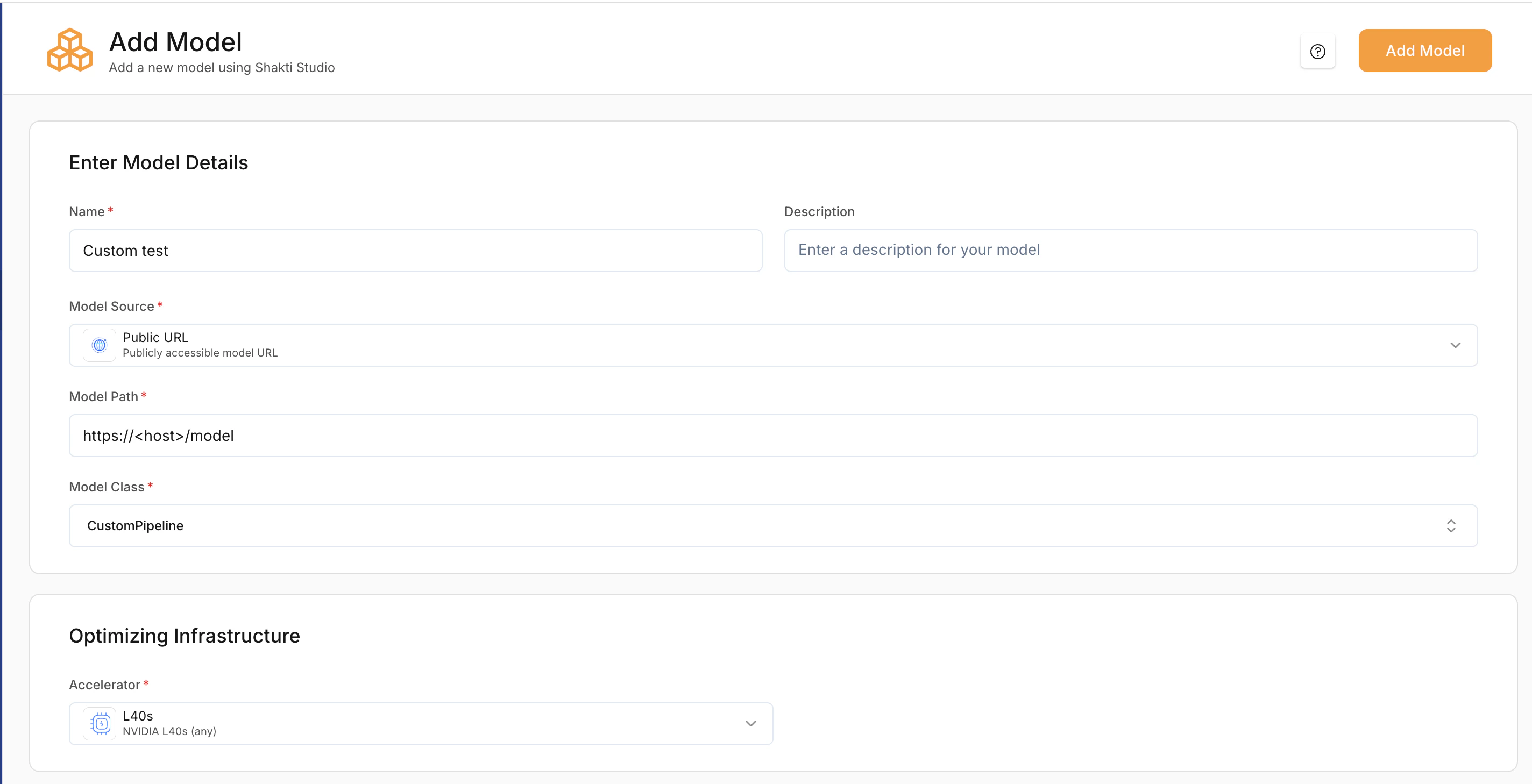
Enter model details
- Provide a Model Name.
- Select Model Source: Hugging Face or AWS/GCP bucket (use the source where you uploaded the ZIP).
- Enter the Model Path (e.g. S3 URI, GCS URI, or public URL to the ZIP).
- Select the linked Cloud Credentials if required.
3
Set model class
Under Model Class, choose Custom Pipeline (or Custom Model).
4
Select Optimisation infrastructure
- Select a Accelerator type based on your model’s size and compute requirements.
5
Add the model
Click Add Model to start compilation. The platform will unpack the archive, set up the environment, and load the model.
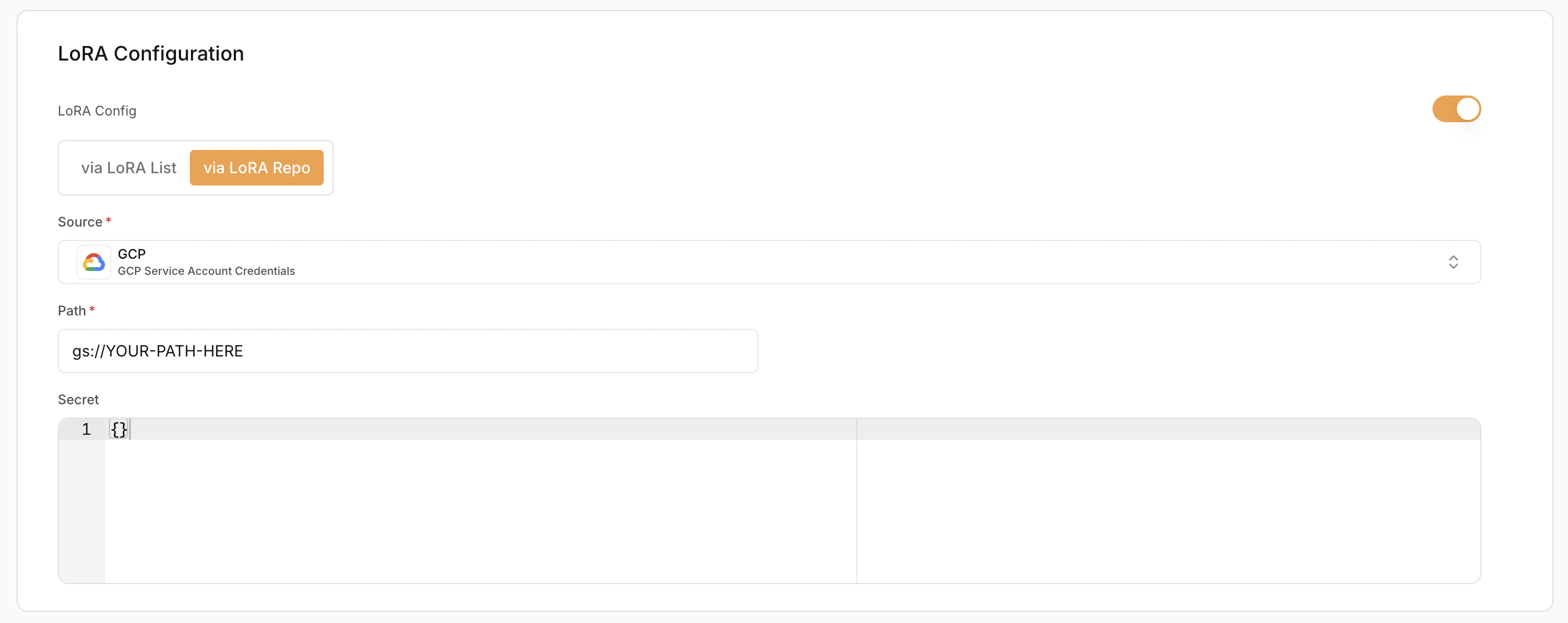
LoRA Configuration (Optional)
LoRA (Low-Rank Adaptation) allows loading fine-tuned adapters on top of base models.- Enable LoRA – Toggle to enable or disable LoRA.
- LoRA Config Method:
- Via LoRA List – Use pre-registered LoRA adapters
- Via LoRA Repo – Load directly from a repository
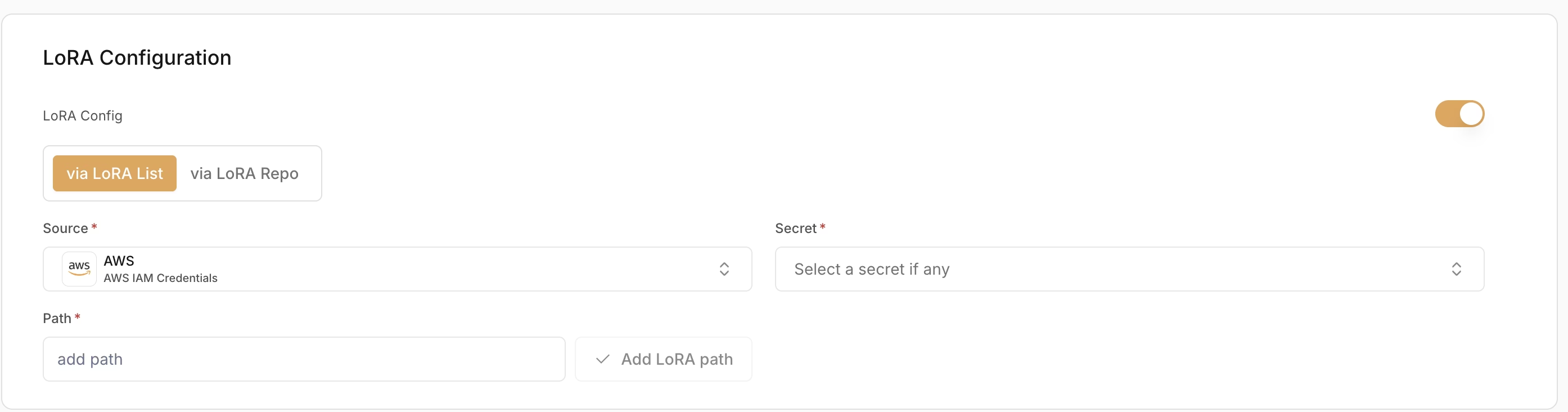
- Source (Required) – Where the LoRA weights are stored (e.g. AWS (IAM Credentials))
- Secret (Required) – Credentials used to access the LoRA source
- Path (Required) – Path to the LoRA adapter location