

Starting a Training Experiment
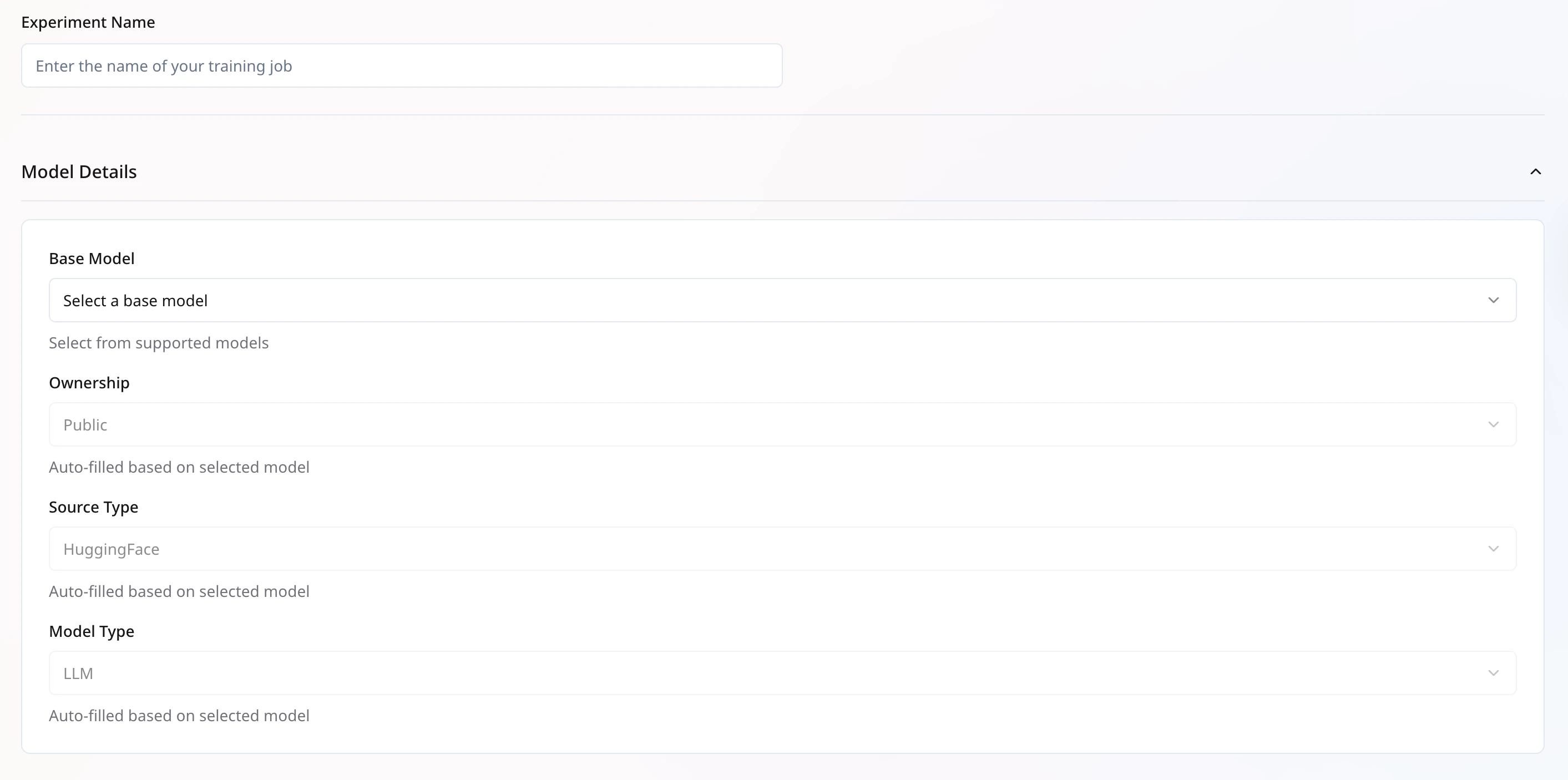
Experiment Name: A unique identifier for each training job within your organization.Model Details:
- Base Model: Select a supported model from the list below.
- Source Type: Currently supports models from Hugging Face.
- Model Type: Auto-filled based on the selected base model.
meta-llama/Llama-3.1-8B-Instructmeta-llama/Llama-3.2-1B-Instructmeta-llama/Llama-3.2-3B-Instructmeta-llama/Llama-3.2-11B-Vision-InstructQwen/Qwen2.5-3B-InstructQwen/Qwen2.5-14B-InstructQwen/Qwen2.5-VL-7B-Instructtiiuae/falcon-7b-instruct
Note:
- If you select LLM as the model type for a VLM base model, only the language component will be trained.
- To train the vision component, ensure both base model and model typeare set to VLM.
Dataset Selection
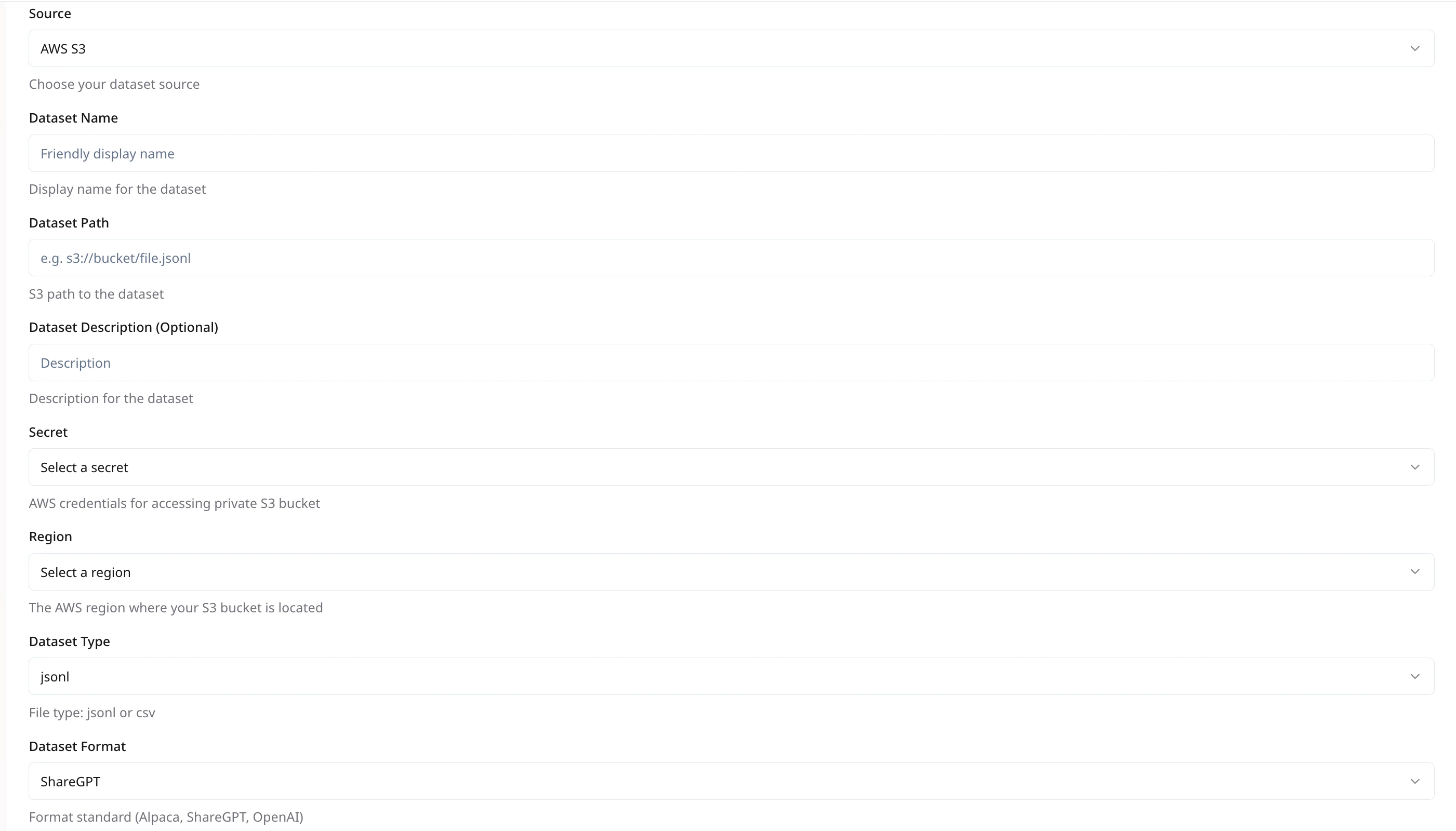
Configure your dataset for training using the following fields:- Source Options: Select the source of your dataset. Supported options include
- Hugging Face (public Hub)
- AWS S3
- GCP Storage (GCS)
- Dataset Name
This should be unique within your organization to help with organizing and reusing datasets. - Dataset Path
Specify the dataset location. For AWS S3 & GCP GCS, use the full path in the format.
e.g., s3://your-bucket/your-file.jsonl - Dataset Description (Optional)
Provide a brief description of the dataset’s contents or purpose. Optional but useful for reference. - Secret (Required for AWS S3 or GCP GCS)
Provide your cloud credentials to enable secure access to private storage buckets. - Region (Required for AWS S3 or GCP GCS)
Select the region where your storage bucket is located.
Dataset Format
We support JSONL format for all training data.-
For VLM models, use a ZIP file containing both the image files and a
train.jsonlfile (the master training file).The directory should be archived in a.zipfile and stored in an object storage.
Example zip command:cd path/to/dataset_dir && zip -r dataset_dir.zip ./*
.jsonl file should represent a complete training example. The supported format styles are:
-
ShareGPT Format
-
OpenAI SFT Format
-
OpenAI DPO Format (for preference training)
Dataset Configuration
- Lazy Tokenize: Delay tokenization until needed. Speeds up dataset loading for large files.
- Streaming: Enable only for public HF Datasets to load records on-the-fly, reducing local storage needs.
-
Prompt Max Length: Maximum token length for prompt. Longer sequences will be truncated.
Recommended: 2048
-
System Prompt: (Optional) A global prefix to every example, e.g.,
You are a helpful assistant. -
Prompt Template: (Optional) If your data needs wrapping in a custom template, e.g.,
<system> {system_prompt} <user> {prompt}. -
Train/Validation Split: Percentage (fraction) for splitting your
.jsonlinto training and validation sets.-
Split Type
Currently, only random split is supported. The dataset will be randomly divided into training and validation sets. -
Train Split Ratio
Enter the ratio of data to be used for training (e.g.,0.9for 90%). -
Validation Split Ratio
Enter the ratio of data to be used for validation (e.g.,0.1for 10%).Train Split Ratio should be greater than 0.8
-
Split Type
Infrastructure Configuration
- GPU Type: Select instance GPU, e.g.,
H100,L40s. - GPU Count: Number of GPUs to allocate for this job.

Training Configuration
- Core Options
Adapter Type
- Full – Use this option for full-model fine-tuning, where all model parameters are updated.
- LoRA – Use this for parameter-efficient fine-tuning using Low-Rank Adapters (LoRA), which updates a small subset of weights for faster training and lower resource usage.
Note: LoRA is generally recommended for efficiency and ease of deployment.

-
RLHF Configuration (Applicable only for RLHF Training type)
When selecting Training Type = RLHF, additional configuration fields appear under RLHF Config. These vary depending on the chosen RLHF Type. The platform supports the following RLHF variants:
-
DPO (Direct Preference Optimization)
- Beta
Controls the trade-off between preference loss and KL regularization.
Default:0.3
Optional: Yes, but recommended.
- Beta
-
GRPO (Generative Rollouts with Preference Optimization)
- Beta
Similar to DPO, this governs the preference vs. KL loss balance.
Default:0.3 - Max Num Seqs
Number of sequences to use during rollout.
Default:16
Optional: Yes - Enforce Eager
If enabled, forces rollouts to run in eager mode rather than compiled mode. Useful for debugging or compatibility issues.
Default: Unchecked
- Beta
-
Common Parameters:
-
DPO (Direct Preference Optimization)
-
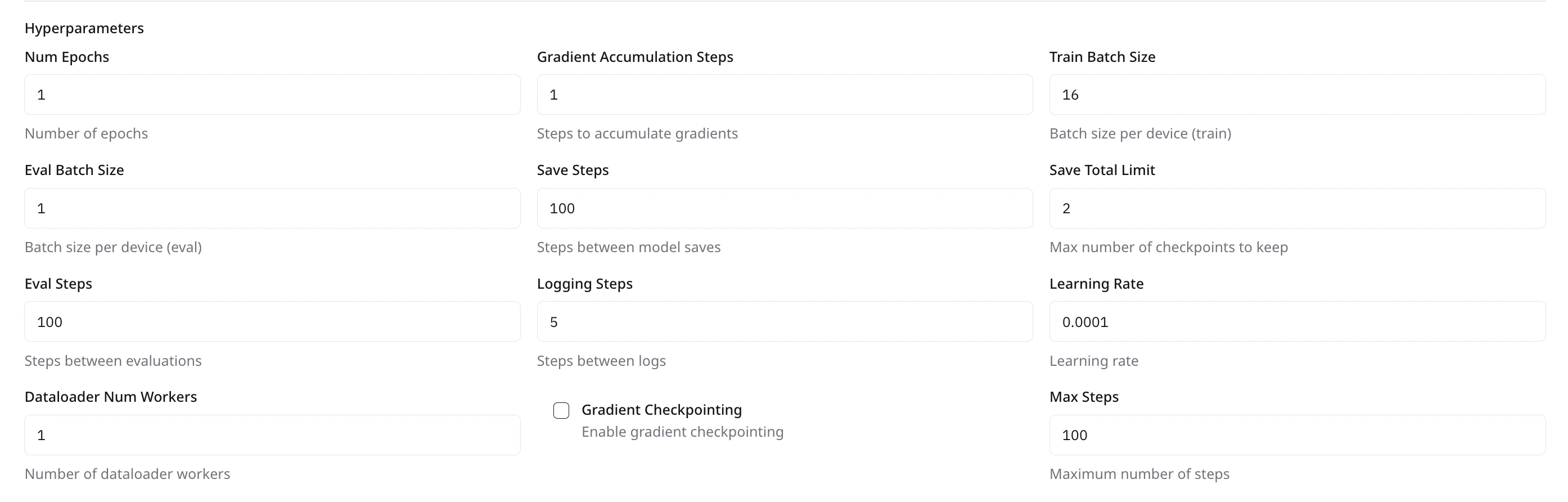
Optimization Hyperparameters
-
Checkpointing & Monitoring
LoRA Adapter Configuration
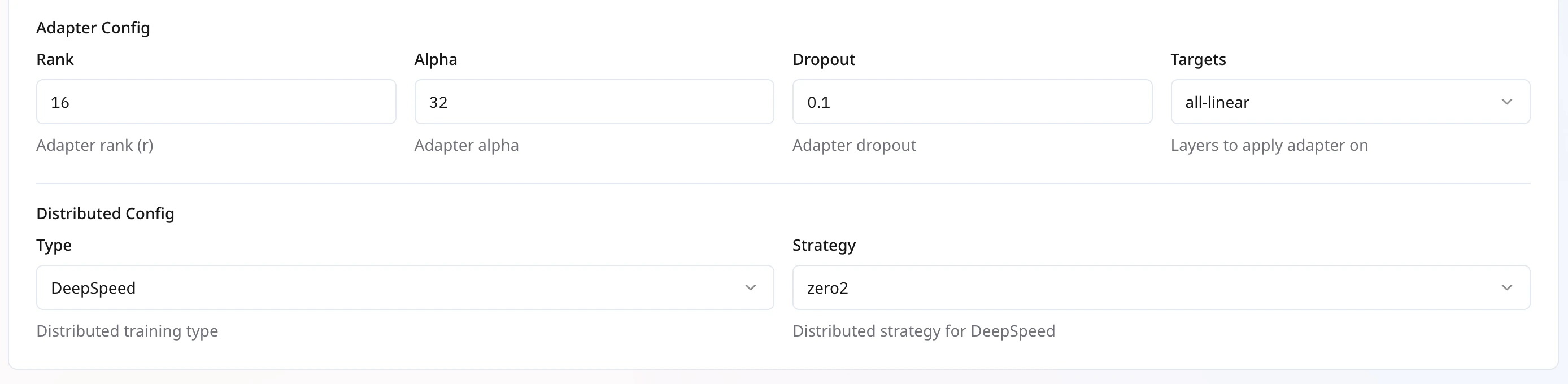
These settings control the LoRA injection into your base model. Higher rank increases capacity but uses more memory.
Distributed Training Configuration

Launching Your Job
- Review all settings.
- Click Create Job.
- Monitor progress under My Trainings > Your Training Job > Metrics .
- Compile the model and deploy when training completes.